

Free
Free, for good
- One project in progress or paused at a time
- Planned, finished and abandoned projects don’t count
- Marked-up patterns, counters, stash, tools, library
- Online backup and sync
- No ads, no time limit


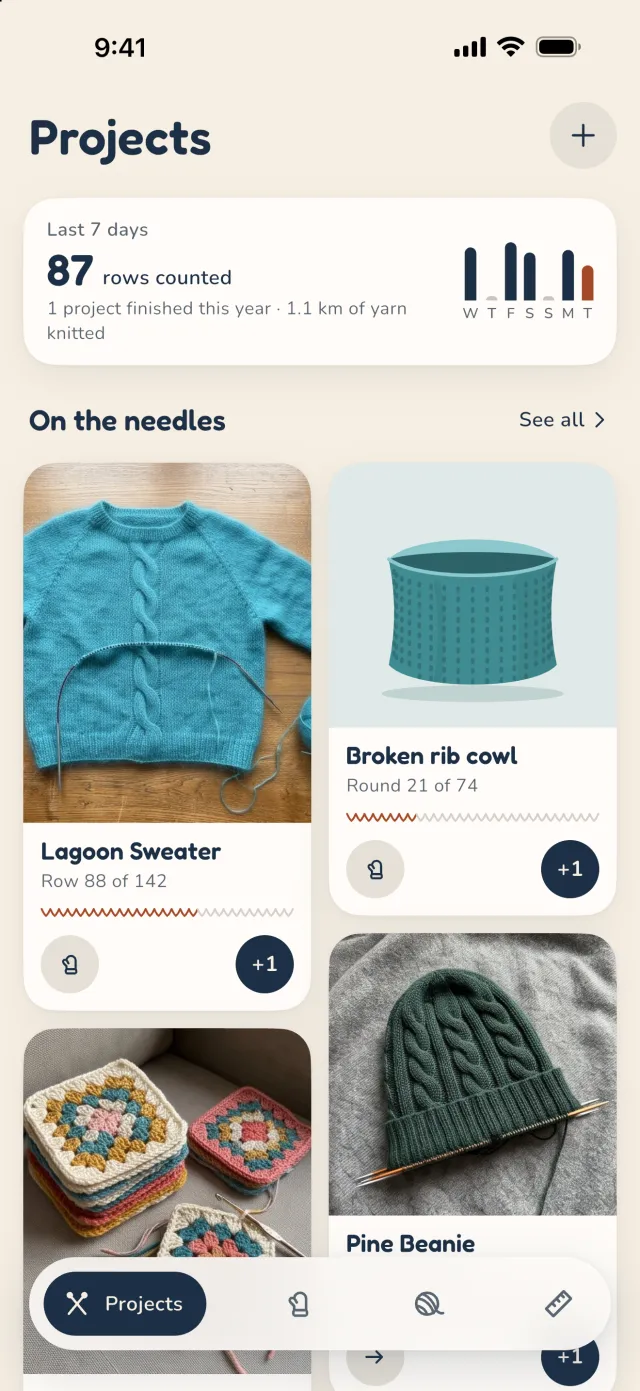
mitaine opens your knitting or crochet pattern, highlights the row you’re on and counts right on top of it. Every project keeps its page, its notes and its counters.
A PDF from Files, an email or a website with “Share”. A paper pattern, photographed page by page. Or the patterns you bought on Ravelry, in one go.
It always reopens at the page and zoom you left it on.
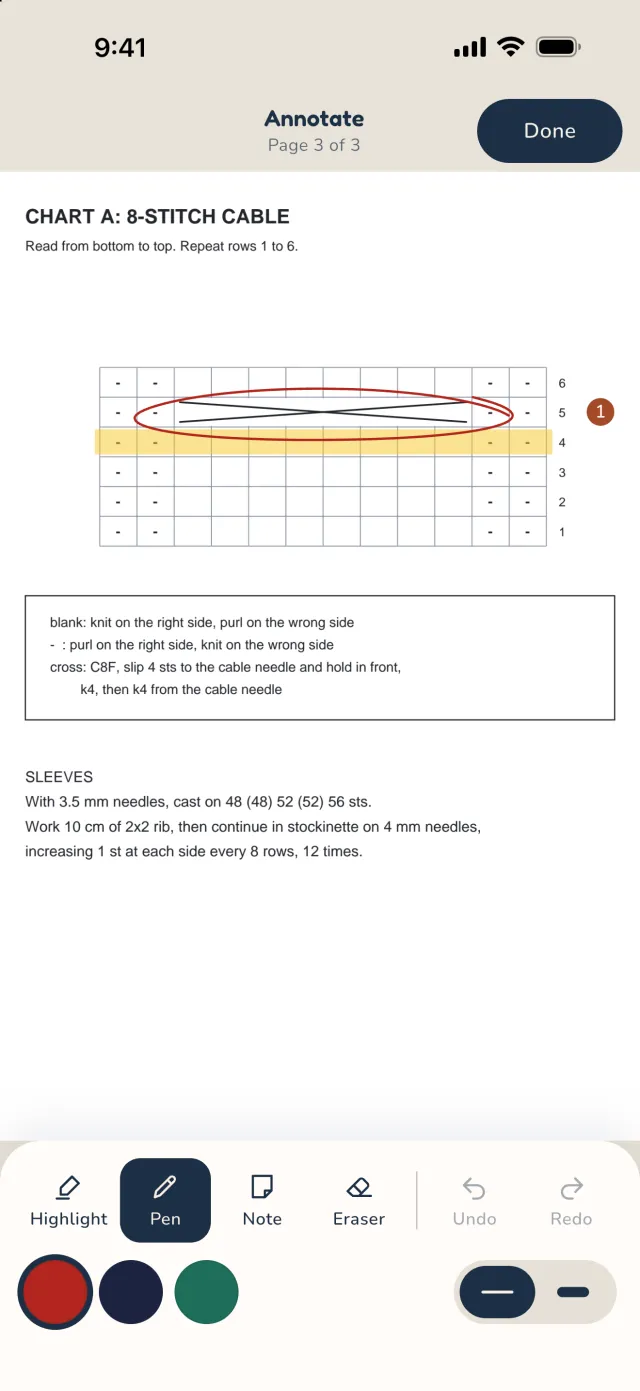
Highlighter, pen, eraser and pinned notes, in several colours. Circle the cable, underline the numbers for your size.
Search for a word or a number: every match lights up in the pattern.
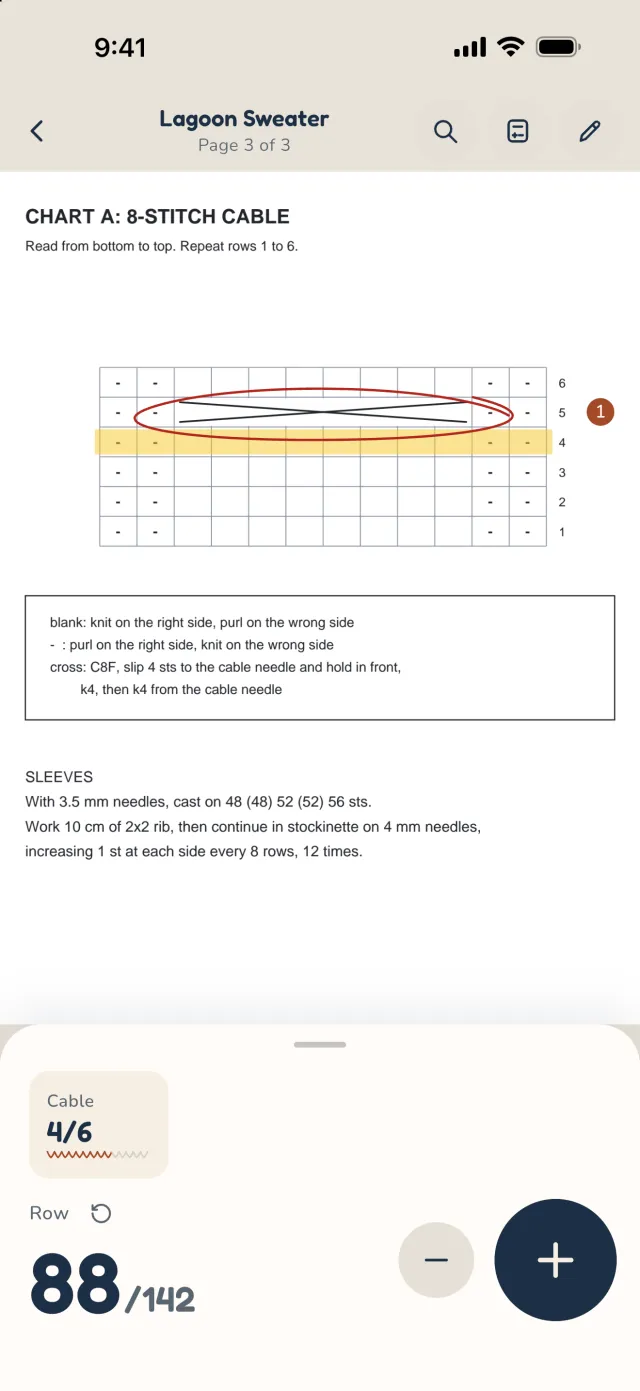
A big +1 that buzzes, a −1 to fix a slip and a dated history of every row. As many counters as you like per project, each with its name and target.
A repeat counter starts over every 6 rows, or 8, or 12, and follows the main counter. mitaine spots “repeat rows 1 to 6” in your pattern and offers the counter that goes with it.
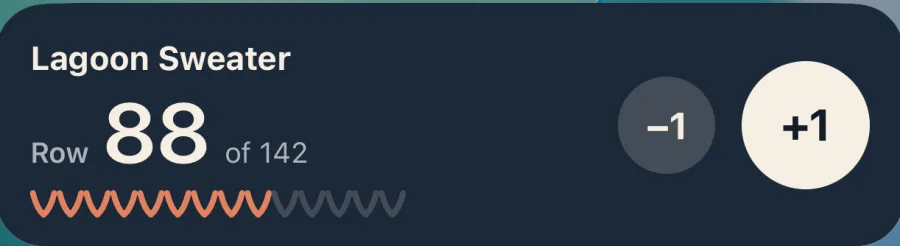
The current row and a +1 stay on the lock screen and in a widget. You count without putting your needles down for more than a second.
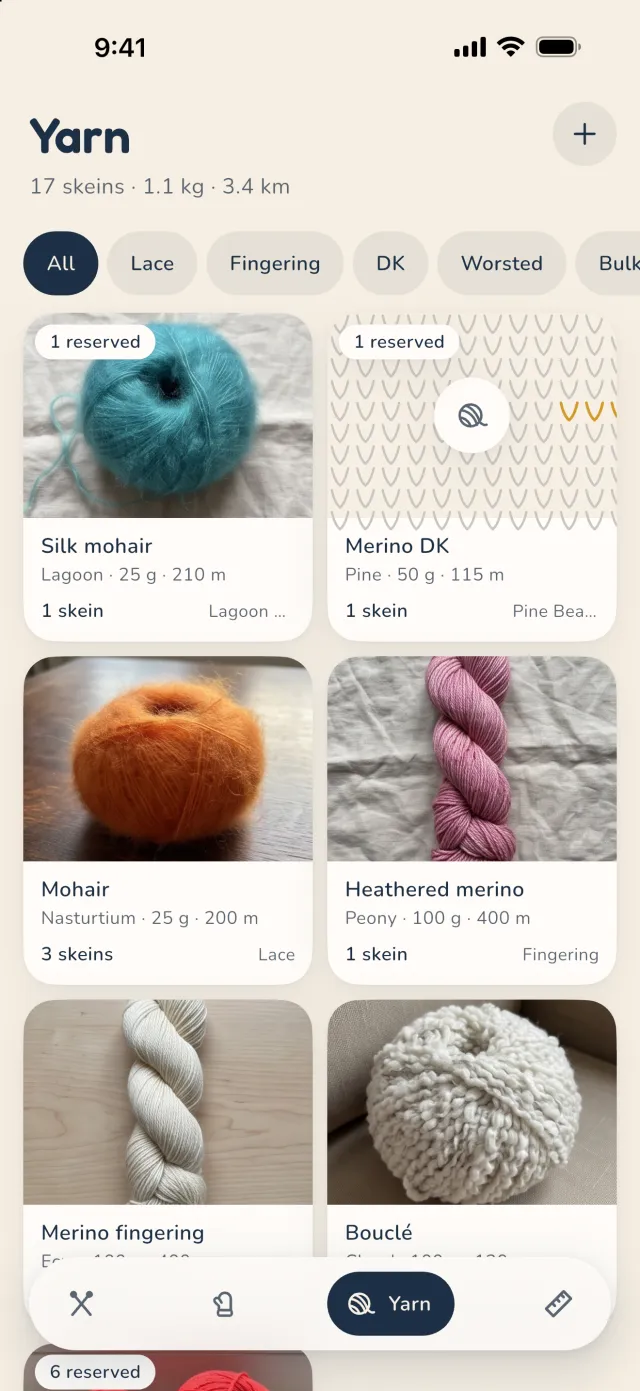
Every skein with its brand, fibre, yardage, dye lot and photo. The yarn of a project leaves the stash as you knit it.
And your needles, in millimetres, with US and UK sizes.
Written for mitaine, in English and French, from garter stitch to a granny blanket. The counter follows every step.
Made to measure. Give your head size or the size you want your blanket, and your own gauge: stitches, rows and yardage are worked out again.
Free, one project in progress at a time. With Premium, unlimited projects in progress.
US prices; your store shows the price for your country. Payment goes through the App Store or Google Play. The subscription renews automatically and can be cancelled at any time in your account settings, at least 24 hours before the end of the period. Details in the terms.
Yes. Patterns, counters, stash and tools all work offline. Your changes go online as soon as you’re back on a network.
Yes, with your hands full of needles. On iPhone: the Action button (iPhone 15 Pro and later: Settings, Action Button, Shortcut, mitaine, “+1 row”), Siri (“Hey Siri, count a row in mitaine”), the counter on the lock screen, and on Apple Watch Series 9, Ultra 2 and later, a double tap of your thumb and index finger. On Android: the volume buttons in the reader and the counter on the lock screen. It is all explained in the app: Tools, Profile, “Count without touching the screen”.
No. The first time you open mitaine, it gives you an anonymous account to back up your projects. Sign in with Apple or Google (Profile, under Tools) to find them on another phone or a tablet.
Nobody but you. They’re stored on your phone and in your online backup, in Europe, reachable by your account only. No ads, no analytics, nothing is sold. It’s all in the privacy policy.
No, if your account is linked to Apple or Google: on the new phone, sign in with the same account and everything comes back.
In your account’s subscriptions: Settings, your name, Subscriptions on iPhone; Google Play, Payments and subscriptions on Android. Deleting the app doesn’t cancel the subscription. You keep Premium until the end of the period you paid for.
Connect your Ravelry account in mitaine to import your projects, your queue, the patterns in your library, your stash and your needles. mitaine is not affiliated with Ravelry.
In Tools, Profile, My account: “Delete my account” erases your account and your online backup, photos and patterns included. The button shows once your account is linked to Apple or Google; without that, sign in first, then delete. What’s on your phone goes with the app.
A question, a bug, an idea? Write to us at hello@alpaga.io. We read everything, and we answer.